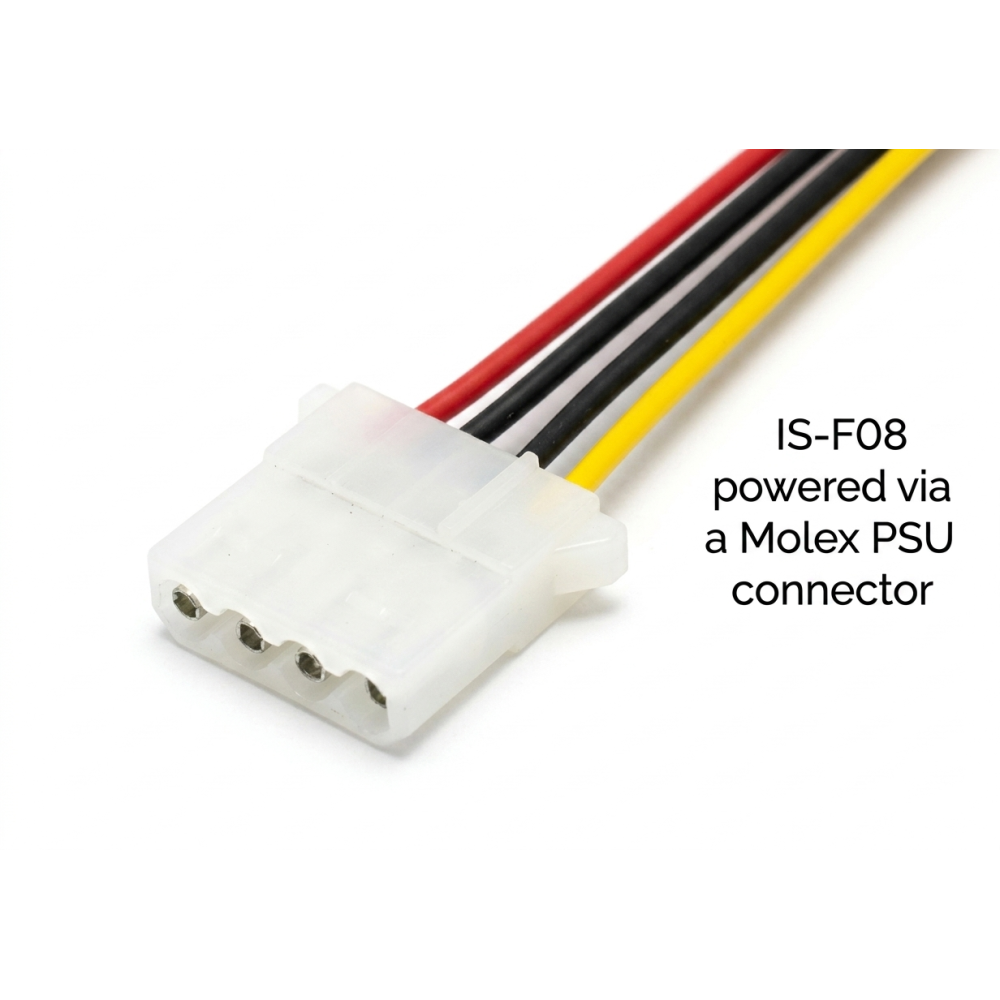
IS-F08 Thermal Control Board overview

IS-F08 Thermal Control Board

Product Code: Fan Sensor Board
Product available in stock : 10
  • £15.00


rightbanner
2 year warranty
on all new Power Supply Units
  • Free UK shipping:
    On ALL products
  • Fast shipping:
    Usually within 1 day
  • Worldwide shipping:
    Order from anywhere
  • 24/7 support:
    Contact us by E-mail
  • 100% satisfaction:
    30-day return policy
  • 2-year warranty:
    On ALL PSUs
IS-F08 Thermal Control Board 8-Fan Monitor

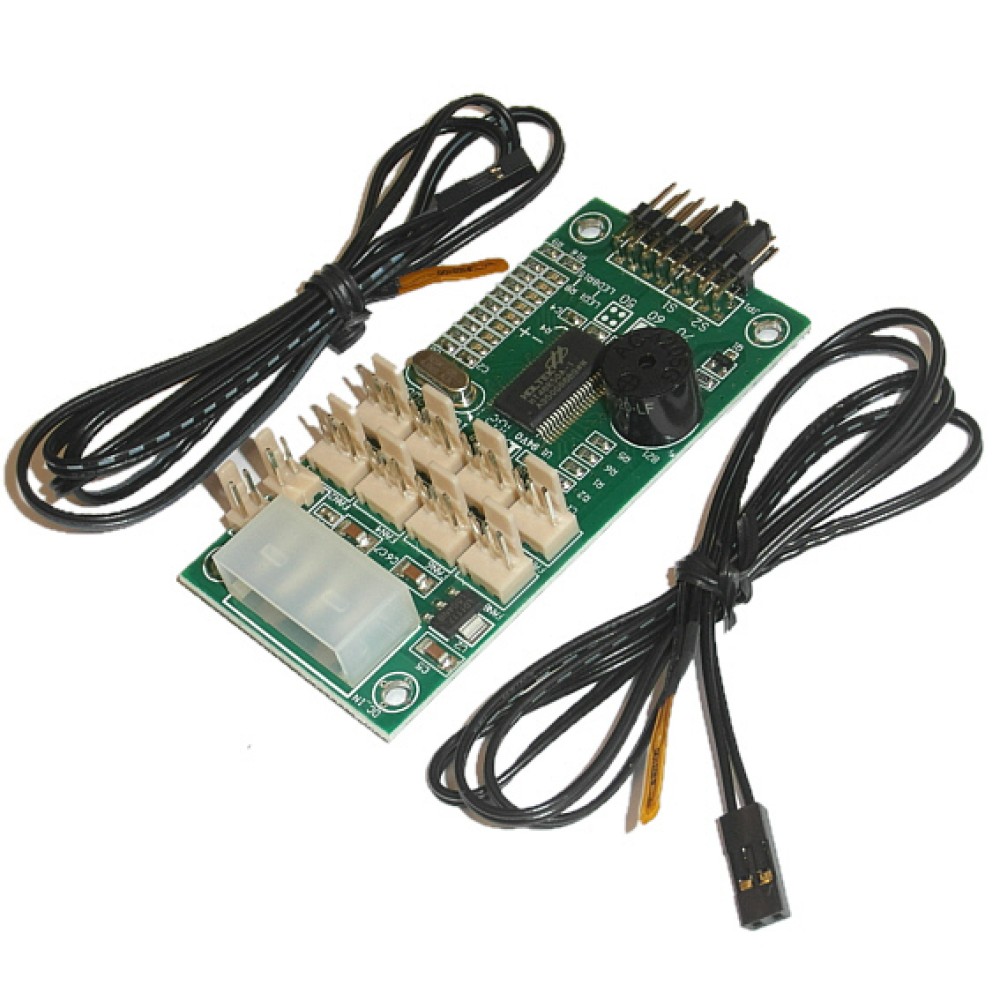
Compact thermal control board designed to monitor and protect your equipment against overheating and fan failure. Supports up to 8 cooling fans and 2 independent temperature sensors, with audible and visual alerts.

Typical Uses
19" Rackmount Enclosures
PC & Server Chassis
Industrial Equipment Monitoring
Fan Failure & Overheat Alerts
Key Features
Up to 8 FansPer-fan failure detection, 3-pin fans
2 Temperature SensorsFlat-head sensors, 72cm wire, tape-on install
Selectable Alarm Thresholds50°C, 60°C or 70°C, set independently per sensor
Audible & Visual AlertsBuzzer and flashing LED for fan failure or overheating
Standard Molex Power4-pin Molex connector, no extra PSU cabling needed
Insulating Sheet IncludedPrevents short circuit against the chassis
Key Specifications
Fan SupportUp to 8 fans (3-pin)
Temperature Sensors2 supplied (72cm wire)
Temperature Thresholds50°C / 60°C / 70°C
Power ConnectorStandard Molex 4-pin
Board Dimensions40 x 80mm
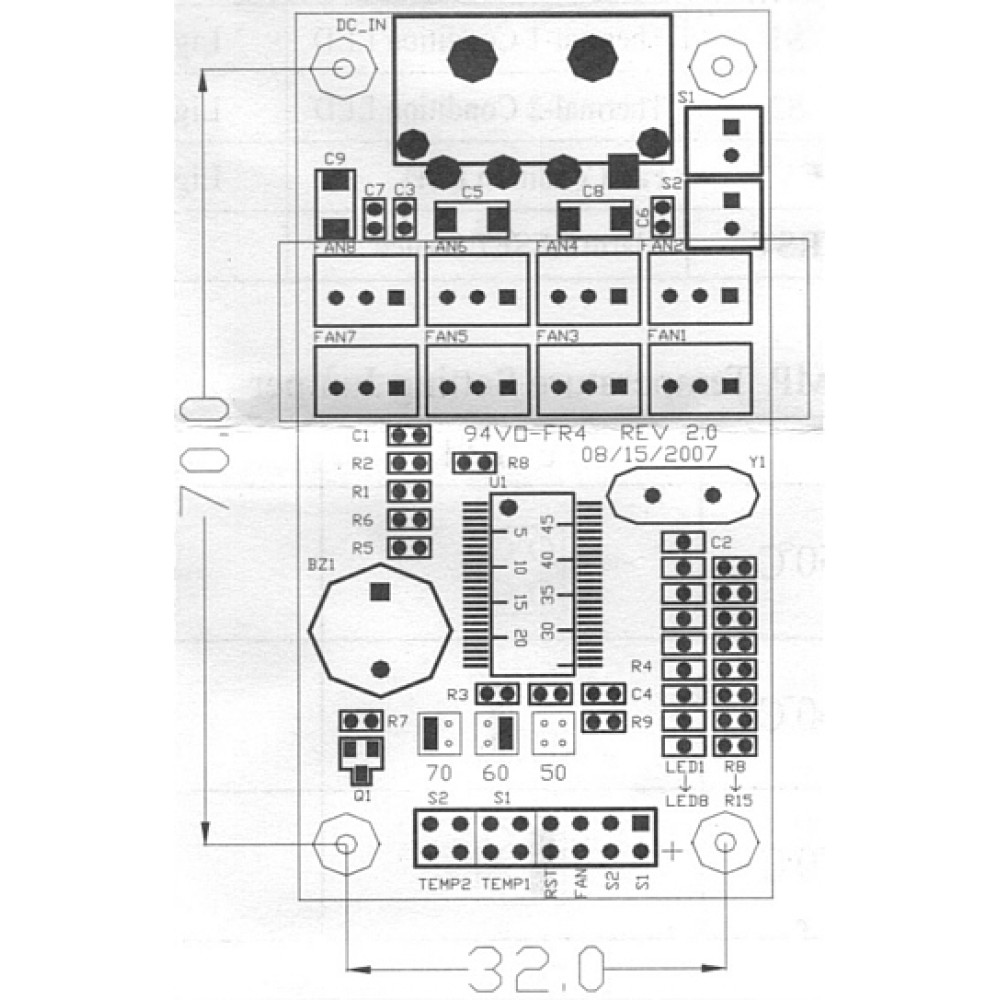
Mounting Hole Span70 x 32mm (4 screws)
Weight55g
Not sure if this fits your setup? Your rackmount or PC chassis requires a mounting hole span of 70 x 32mm. See the User Manual tab for full installation and jumper setup instructions, or contact us with your setup details and we'll advise.
Technical Specifications

Full specifications for this product, verified against manufacturer data.

Specification
Model Number IS-F08
Colour Green
Product size & weight 40 x 80mm, 55g
More Info
Package size & weight 20 x 15 x 2cm, 100g
Product Condition Brand new
Return Return accepted within 30 days if unwanted.
Made in China
Shipped from United Kingdom
Remarks Your rackmount or PC chassis requires a mounting hole span of 70 x 32mm. 4x M3 screws are supplied.
Need help confirming this is the right product for your system? Contact us with your existing part number or a photo and we will advise.
IS-F08 Thermal Control Board — User Manual

Step-by-step installation, jumper settings, alert reference and troubleshooting for your IS-F08 thermal control board.

Installation
  1. Connect the IS-F08 to a standard Molex 4-pin power connector from the power supply.
  2. Mount the board using the 4 supplied screws. If installed outside a 19" rack (e.g. a standard PC chassis), insert the supplied plastic sheet between the board and the chassis to avoid short circuit.
  3. Connect your 3-pin clock-type fans to the fan headers. The detection IC will automatically identify the number and position of connected fans at power-on.
  4. Attach the flat-head temperature sensors (S1, S2) to the components you wish to monitor using tape. Each sensor wire is 72cm long.
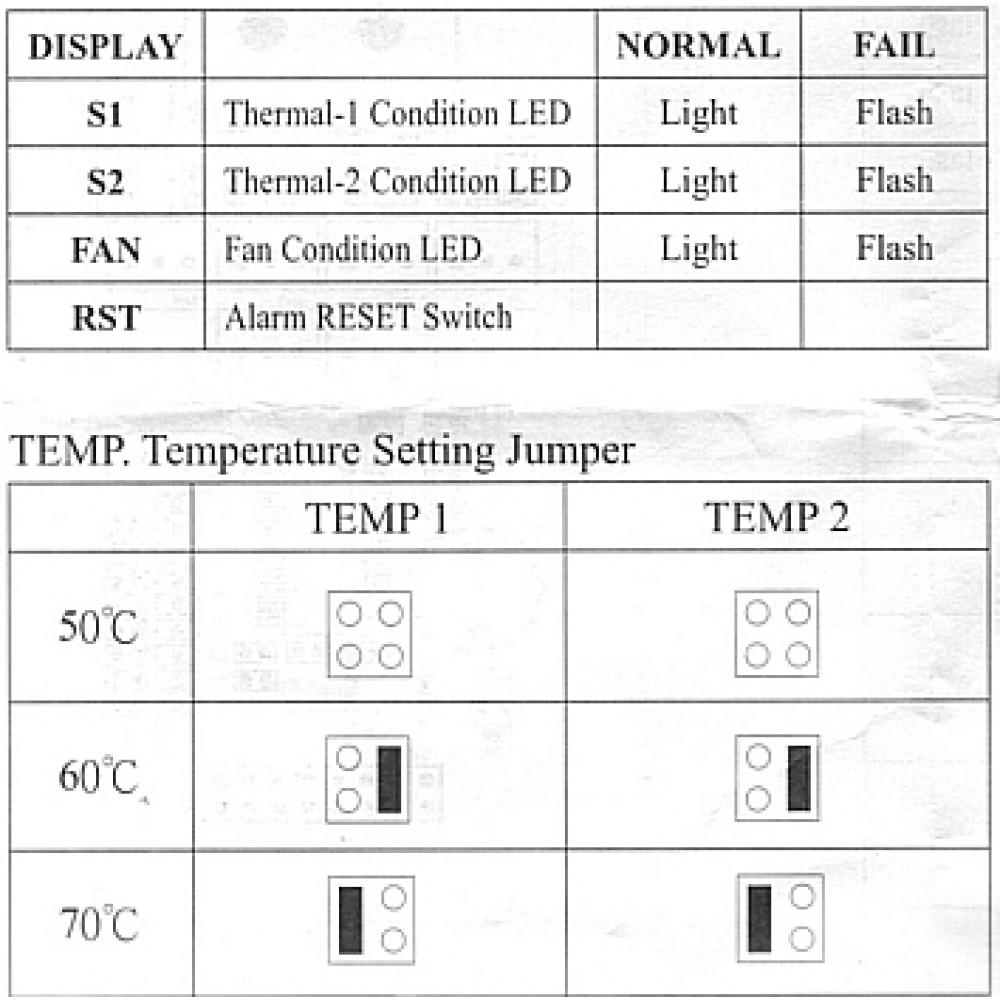
  5. Set the temperature alarm threshold for each sensor using the jumpers (see table below).
Jumper Temperature Settings
ThresholdRecommended UseSensor
50°CSensitive components — early warningS1 and/or S2 (independent)
60°CStandard equipment — general useS1 and/or S2 (independent)
70°CHigh-performance components — max toleranceS1 and/or S2 (independent)

S1 and S2 can be set to different thresholds. Incorrect jumper setup may trigger false alarms.

Alerts & Troubleshooting
Alerts & Normal Operation
  • Fan LED On (Steady): All connected fans are functioning normally
  • Fan LED Flashing + Buzzer: One or more fans have failed — replace, same connector position
  • S1/S2 LED Flashing + Buzzer: Sensor detected overheating — address cooling immediately
  • RESET Button: Silences the buzzer temporarily — fault must be resolved to stop LED flashing
Troubleshooting
  • Fan failure alarm: Press RESET to stop the buzzer. If the LED keeps flashing, replace the faulty fan and reinstall it in the exact same position — changing positions will trigger a new alarm.
  • Temperature alarm: Press RESET to stop the buzzer. If the S1 or S2 LED keeps flashing, improve cooling for that component or review the jumper threshold setting.
  • System not functioning: Check for a power shortage, a malfunctioning fan, or a faulty temperature sensor.
Important: Always power off the system before moving the control board or unplugging the 4-pin Molex connector. Hot-unplugging can damage the IC or the circuit board. Fans must be 3-pin clock type — other fan types are not supported. Never relocate a fan while the board is powered on.

Write a review

Note: HTML is not translated!
    Bad           Good
Captcha